Chat and teams (CHAT, DM, TEAM)
CHAT opens public channels by topic, DM @user starts a private conversation, and TEAM creates a private group that shares layouts, lists, notes and its own chat.
- 4 min
- 3 questions
- Lesson 6 of 8
Why you would care
Who can you talk markets with, without leaving the terminal? Traders talk all day: "anyone seeing this print in XOM?", "what's the read on CPI?". On the Bloomberg Terminal that chat is a big part of why people pay for it. Gloom's chat lives next to your panes, so a ticker you mention is one click away from its chart.
The idea from scratch
Three ways to talk, from most public to most private:
| Where | Who sees it | Open with |
|---|---|---|
| Channel | Every signed-in user | CHAT or CHAT macro |
| Direct message (DM) | Only the people in it (one or a small group) | DM @user or DM @a @b |
| Team | Only team members | TEAM, then its chat |
A team is more than a chat room: it is a shared workspace. Members share layouts, lists (watchlists and portfolios), notes, theses and custom views. TEAM new creates one; TEAM invite @user adds someone.

Useful details
- In newer versions (after 0.15.8), messages can carry up to four images: in the desktop and web apps, paste or drop them; in the terminal, paste the path of an image file.
- Images in public channels are checked before others see them.
- The status bar shows an unread count; in newer versions it opens an Unread Chat pane, and mentions of you are counted in green.
- Point at a name to see that person's profile card, if they made it public.
See it in Gloom
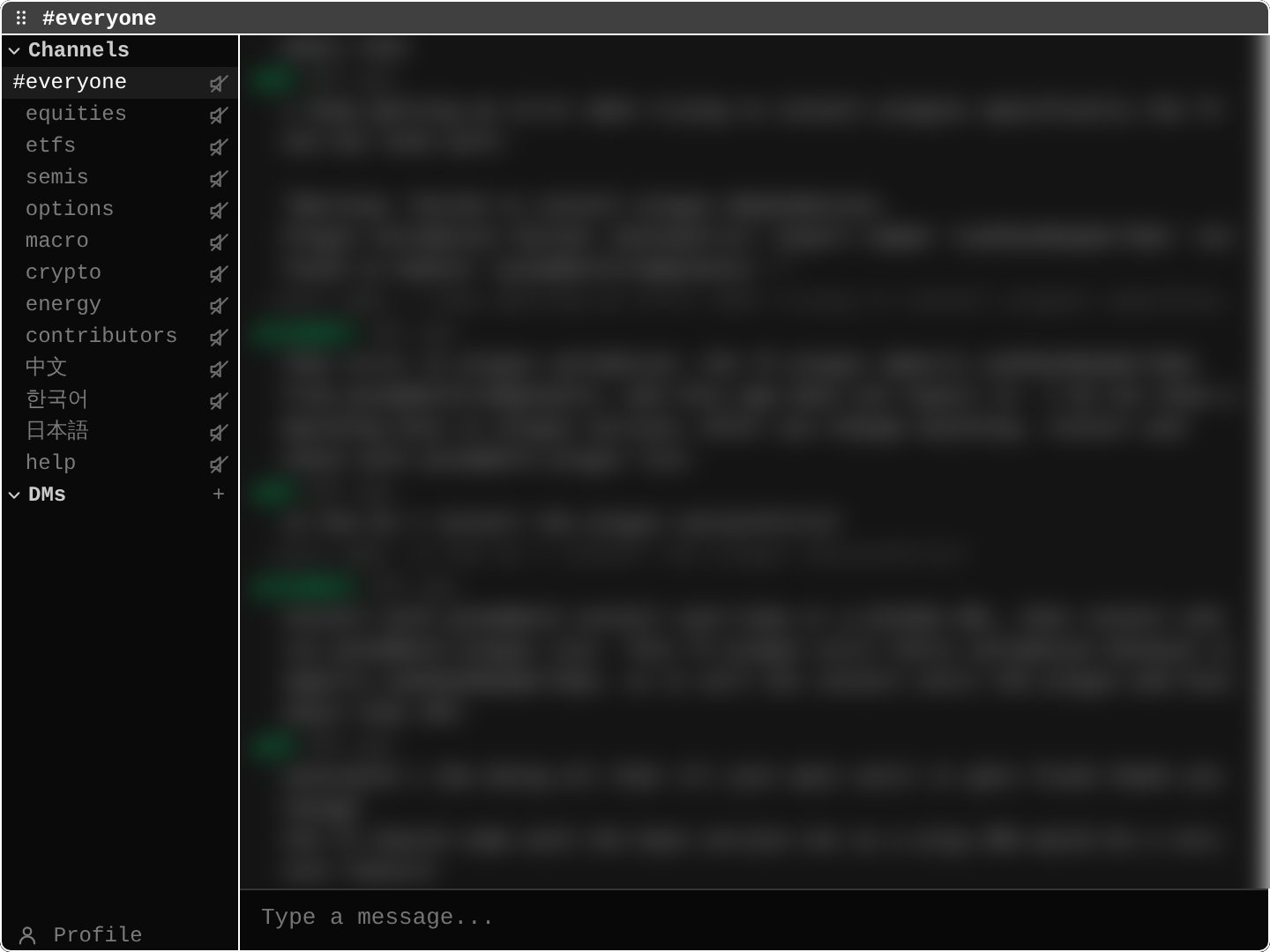
open ittype CHAT, or CHAT options for one channel.
Channels:#everyone, then topic channels (equities,etfs,semis,options,macro,crypto,energy...), language channels, andhelp.- The speaker icons: desktop notifications for that channel, grey when off and green when on. Click to switch.
DMswith a+: your private conversations;+starts one.Type a message...: pressito compose,Enteron a message to reply.Profile(bottom left): your public profile.
Keys: i compose, Enter reply, n new channel.
Practice and recap
Try it3 tasks
- Which channel would you open to discuss an inflation report? (
macro.) - Write the command to start a private chat with two people, @ana and @ben. (
DM @ana @ben.) - In the app, open
CHAT helpand read the last few messages.
Common mistakes4 mistakes
- Posting something private in a public channel. Use a DM or a team.
- Sharing screenshots with personal data (account numbers, emails) in public channels.
- Treating chat opinions as research. Check the data yourself.
- Forgetting that a team shares lists: deleting a ticker from a team watchlist removes it for everyone.
Check yourself3 questions
- What is the difference between a channel and a team?
- How many images can one message carry?
- What does
TEAM invite @userdo?
Answers
- A channel is public to all signed-in users; a team is a private group that also shares layouts, lists, notes, theses and views.
- Up to four, in newer versions (after 0.15.8).
- Invites that user to your team.
Words in this lesson4 words
- channel
- A public chat room on one topic.
- DM (direct message)
- A private conversation with one or a few people.
- team
- A private group that shares a chat and parts of the workspace.
- mention
- A message that names you with @; it is counted separately.
Educational material about reading market data, not investment advice.